
IPeeTV Explains: What Is IPTV and How Does It Work?
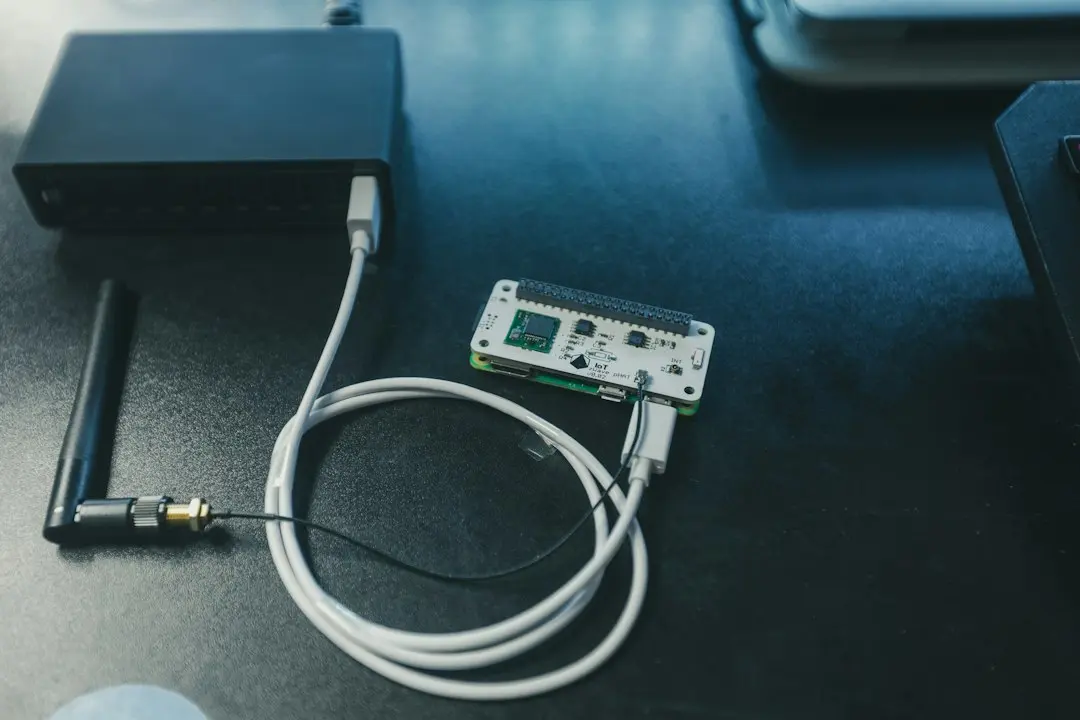
If you've seen the word IPTV on a streaming box, in a forum or on the IPeeTV pricing page and wondered what it actually means, this guide is for you. IPTV TV is simply television delivered over an internet connection instead of an antenna, a satellite dish or a cable. Below, the IPeeTV team explains what IPTV stands for, how it works step by step, what you need at home in Australia, and how it differs from the ways most of us grew up watching TV.
What is IP TV? The meaning in one sentence
IPTV stands for Internet Protocol Television. "Internet Protocol" (IP) is the set of rules every device on the internet uses to send and receive data in small packets. IPTV uses those same rules to carry live channels and on-demand video.
The International Telecommunication Union, the United Nations agency that sets telecommunication standards, puts it this way: "IPTV is defined as multimedia services such as television/video/audio/text/graphics/data delivered over IP-based networks". (Source: ITU, IPTV-JCA Terms of Reference.)
So when people ask "what is an IPTV?", the honest answer is that it isn't a single gadget. It's a way of delivering television: television over IP, the same network that already brings email, video calls and web pages into your home.
What does IPTV stand for, and how is it different from free-to-air, satellite or cable?
The difference is the road the picture travels on:
| How you watch | How the signal reaches you | What you need at home |
|---|---|---|
| Free-to-air | Broadcast through the air from transmitters | An antenna and a TV tuner |
| Satellite | Beamed down from a satellite | A dish, a receiver box and a clear view of the sky |
| Cable | Sent through a dedicated cable network | A cable connection and the provider's box |
| IPTV | Sent as data over your internet connection | An internet connection and an IPTV player app |
With IPTV there's no dish to mount and no tuner to scan. Your internet connection does the carrying, and an app on your device turns the data into pictures and sound. That's also why IPTV feels a lot like other streaming apps you may already use: you scroll a channel guide, pick something and press play.
How does IPTV work, step by step?
Here is what happens between a channel and your screen when you watch an IPTV service such as IPeeTV:
- The provider prepares the streams. Live channels and on-demand titles are encoded into video streams in several qualities (for example HD, Full HD and 4K) so the stream can suit your connection.
- Servers send them out. The streams sit on servers connected to the internet. IPeeTV runs multi-server load balancing, with popular channels mirrored on more than one server, to keep streams running smoothly during busy hours.
- Your login unlocks your line. You sign in with your own details, so the service knows which channels and how many screens your plan includes.
- A player app plays the stream. An IPTV player app on your TV, stick, phone or computer requests the stream, buffers a few seconds and plays it, along with an electronic programme guide (EPG) that shows what's on.
The two ways to log in: Xtream Codes and M3U
IPTV player apps usually accept one of two kinds of login:
- Xtream Codes login: a server URL, a username and a password. The app uses them to load the channel list, the guide and the on-demand library.
- M3U playlist URL: a single web link that points to a playlist of channels.
When you order, IPeeTV sends your Xtream Codes login or your M3U playlist link by email. Our guide to IPTV player apps for IPeeTV explains how to pick an app to enter them in.
The player app holds no channels of its own
This trips a lot of people up. The app you install is an empty shell: it can't show anything until you enter a login from a provider. The channels and the library come from the subscription; the app only plays them.
Does IPTV work in Australia?
Yes. IPTV works anywhere you have a stable internet connection, which includes most Australian homes on NBN fixed line, fixed wireless or a good mobile connection. What matters is not your postcode but how steady your connection is in the evening, when everyone in the street is streaming at once.
What speed do you need?
IPeeTV recommends a stable connection of at least 15–25 Mbps for HD and 4K streams. For comparison, Netflix recommends "15 Mbps or higher" for 4K Ultra HD (Source: Netflix Help Center, Netflix-recommended internet speeds). A few practical tips:
- On a TV, a wired Ethernet cable is steadier than Wi-Fi.
- If you watch on several screens at once, each one uses its own share of your bandwidth.
- If the picture drops at peak times, a lower quality setting in the app usually keeps it smooth.
Which devices can you use?
IPTV doesn't need new hardware for most households. IPeeTV works on:
- Amazon Fire TV Stick and Fire TV
- Android phones, tablets and TV boxes (Google Pixel included)
- iPhone and iPad
- Smart TVs (Samsung, LG)
- Windows PCs and Macs
- MAG and Formuler set-top boxes
Setup takes about five minutes on most devices. Our install guide walks through each one.
What you get with an IPeeTV TV subscription
IPeeTV is an IPTV subscription built around a simple idea: every plan gets the same content, and only the length and the number of screens change the price. Every plan includes:
- 38,000+ live channels across sport, news, international, kids and entertainment
- 160,000+ movies and series on demand, updated weekly, with no separate VOD fee
- HD, Full HD and 4K streams, with an EPG TV guide
- Your own Xtream Codes or M3U line, with no shared logins
- 24/7 support on WhatsApp from real people
- No auto-renewal and no contract
Plans run for 3, 6 or 12 months or 2 years, from US$29.99 for 3 months on one connection, and each subscription can have 1 to 5 connections. Prices are in US dollars, as published. New subscribers get 3 extra months on a 12-month plan when they mention it on ordering. The full grid is on the IPTV subscription page.
Is an IPTV service right for you?
IPTV suits you if you want a big channel line-up and a large on-demand library on the devices you already own, without installing a dish. It suits you less if your internet connection is slow or drops out often, because every stream depends on it.
The simplest way to find out is to test it on your own screen. IPeeTV can set you up with a short trial line to check channel quality before you subscribe: just message the team on WhatsApp with the device you'll use. Our guide on how to choose the best IPTV in Australia lists what else to check before paying any provider.
FAQ: what is IPTV?
What does IPTV mean?
IPTV means Internet Protocol Television: live TV and on-demand video delivered over an internet connection instead of an antenna, a satellite dish or a cable.
What is an IPTV subscription?
It's a paid plan that gives you a login (an Xtream Codes login or an M3U playlist link) to a provider's channels and library. You enter that login in an IPTV player app. With IPeeTV, the plan covers 38,000+ live channels and 160,000+ movies and series.
How does IPTV work on a TV?
You install an IPTV player app on a Smart TV, a Fire TV Stick or an Android TV box, sign in with your login, and the app loads the channel list and guide over your internet connection. See the install guide for each device.
Does IPTV work in Australia?
Yes, on any stable internet connection. IPeeTV recommends at least 15–25 Mbps for HD and 4K, and a wired connection on your TV where you can.
Is IPTV free?
Some IPTV apps are free to download, but the app holds no channels; the content comes from a subscription. IPeeTV plans are paid, and you can ask for a short trial line first.
The short version
IPTV is television over the internet: a provider streams channels and a library, and a player app on your device plays them with your login. IPeeTV brings that to Australian homes with 38,000+ live channels, 160,000+ movies and series, 1 to 5 screens per plan and support on WhatsApp around the clock. Ready to see it on your own TV? Request an IPeeTV free trial or compare the plans.
Ready to try IPeeTV?
Ask for a free trial line on WhatsApp, or pick a plan from US$29.99 for 3 months. Support runs 24/7 on WhatsApp.
More IPeeTV guides

IPeeTV Guide: How to Choose the Best IPTV in Australia
Looking for the best IPTV in Australia? IPeeTV's honest checklist: trials, devices, screens, real prices, renewals, refunds, support and lookalike sites.
Read the guide
IPeeTV International TV in Australia: What to Check
Want TV from home in your own language? How IPeeTV's international line-ups work in Australia, what is and isn't published, and how to check before you pay.
Read the guide
IPeeTV IPTV Box Australia: Which Device to Use
Fire TV Stick, Android box, Smart TV, MAG box or phone? How to pick an IPTV box in Australia for IPeeTV, how setup works on each and what your internet needs.
Read the guide